A vision-language model trained only in simulation runs a real robot arm
I fine-tuned Qwen3.8-27B to make Jev-style decisions from camera images, using nothing but simulated data. On a real SO-101 it completed a two-ball pick-and-place command in 104 seconds, with no teleoperation and no real-world demonstrations. Here is how it works, how it was trained, and what broke on the way.
Decide, don't drive
Most robot foundation models today are vision-language-action models, or VLAs. They output motor commands directly and learn them from demonstrations: a person teleoperates the target robot for hundreds of episodes and the model imitates. That works, but the data is slow to collect and tied to one robot and one set of tasks.
My earlier system for this arm, Jev, took another route. The model decides and ordinary code acts. The model makes typed choices, such as which step comes next or whether the task is done, and code turns each choice into a bounded motion. Jev saw the scene only as text: code measured the objects, and the model read numbers and labels.
This project gives that pattern eyes. The model looks at the cameras itself.
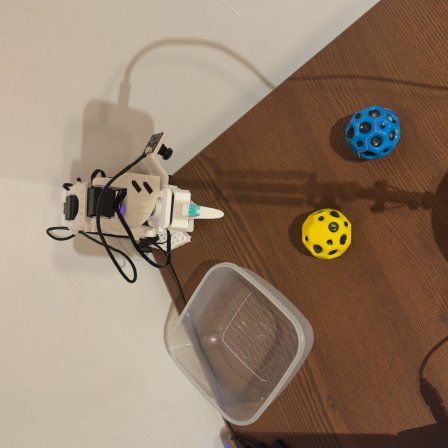
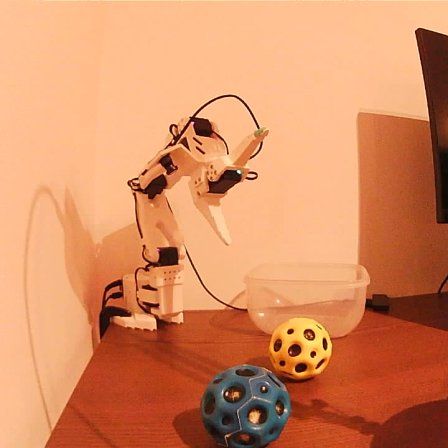
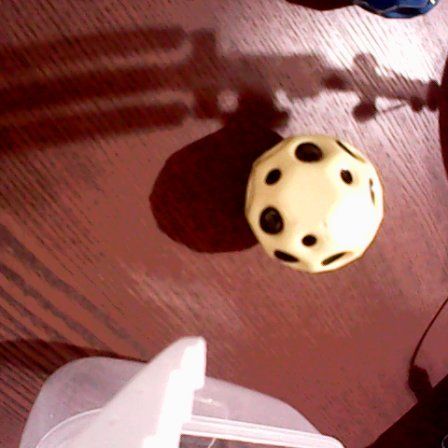
At every step the agent receives three 448 × 448 images, the command, the last step with its outcome, and the gripper reading. It answers with one letter, one per skill:
The letter is read as a single token at temperature 0, so a decision costs one forward pass. When a skill needs a position, the model points at a pixel in the top image, and a calibrated camera model maps that pixel to a spot on the table. Short yes/no questions guard the release and the finish: is the held object over the container? and is the blue ball inside?
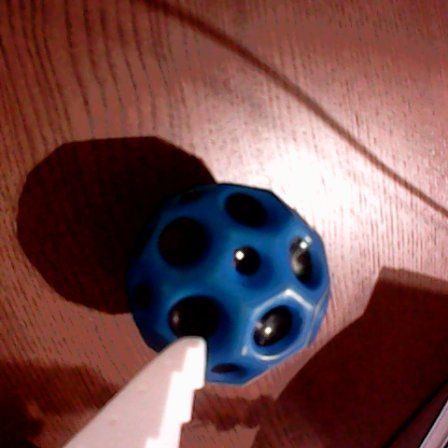
Why a VLM? It already knows what a ball and a container are, which one is blue, and where things sit in a picture. Fine-tuning only has to teach the decisions. The skills are plain code, so the model never has to learn servo control, which is where teleoperated data usually goes. After training only on simulated images, the model still answers “is the object inside the container?” correctly on 92 of 100 real photos of SO-100 and SO-101 arms.
Inside the 104 seconds
Here is every decision from the run in Figure 1: what the model saw, where it pointed, and how much probability it gave each of the nine skills. Use the arrow keys or the step buttons.
Points at the blue ball in the top image. The move stops a little short.
Two things stand out. The model is confident about almost every skill choice, usually above 90%. The yes/no checks are where it is too careful. Over the container it answered “not yet” twice for the blue ball and three times for the yellow one. For the yellow ball, a repeat guard in code then released it anyway, and it landed inside. That caution is the same bias the training labels were meant to remove (next section), and it is not fully gone.
Training in simulation only
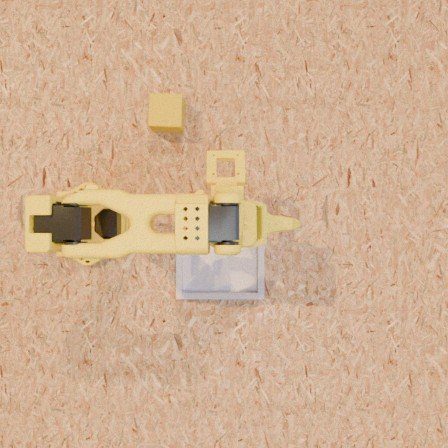
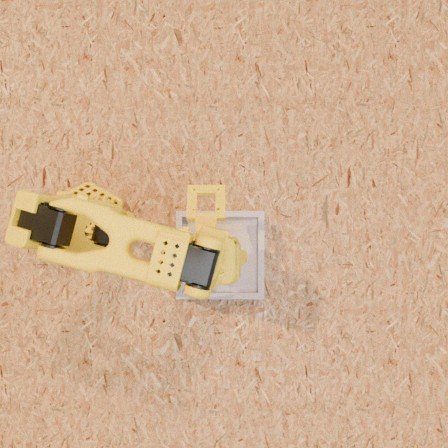
The training data is simulated SO-101 episodes in MuJoCo, rendered photoreal with randomised tables, lighting, arm colours, objects and containers. Nothing was recorded on the real arm, and nobody teleoperated anything.
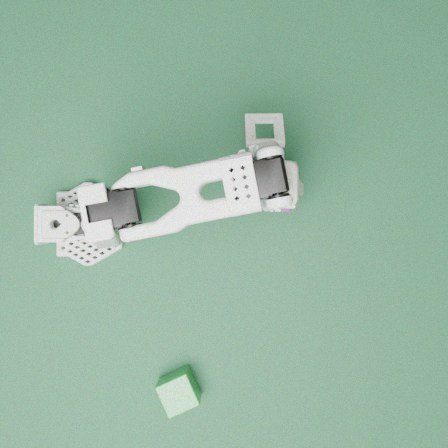
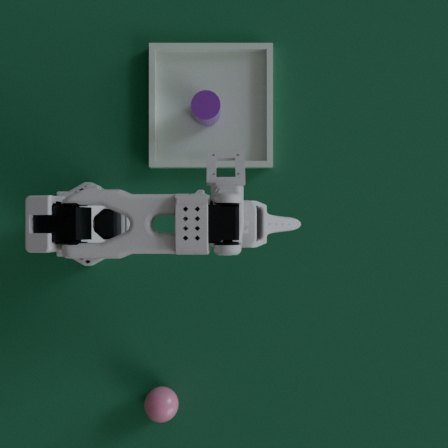
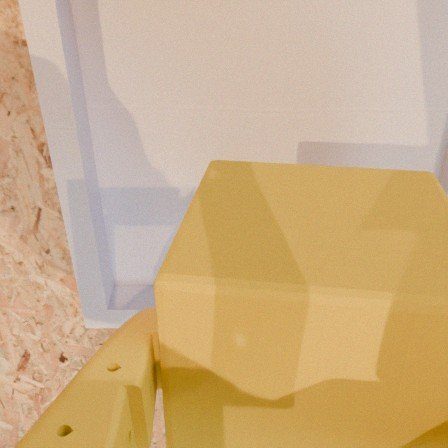
Labels from simulated outcomes
The core of the method is how each training example gets its answer. Nobody demonstrates the right step. The simulator tries them all and scores what happens.
- Collect states from the model itself. Run the current model in simulation and save a snapshot at every step. This is DAgger: the states include the model's own mistakes, so it learns to recover from them.
- Try every next step. At each state, restore the snapshot and execute each candidate skill, with pointing noise, twice. A scripted policy that can read the true simulator state then finishes the task, for up to 25 steps.
- Score and pick. Each branch scores success minus 0.02 per step. The best branch becomes the label, and the step cost makes the model prefer the shorter way to success.
- Fine-tune. Train a small LoRA adapter on these examples, then repeat from step 1 with the new model.
This is one step of policy improvement by Monte Carlo rollouts, distilled into the model with supervised fine-tuning, in the family of expert iteration. It sits closer to reinforcement learning than to imitation: the reward comes from the simulator, not from a human showing the way.
The gain came from the labels, not from more data. The earlier labels for “is the object over the destination?” came from a geometric rule, and the rule was too cautious: in replays, releasing where it said “not yet” often worked. Relabelling by simulated outcome fixed that and cut the step-limit loops from 48 to 22. I also tried a KL-regularised RL objective on a further round of data. It tied with this adapter (434 against 440), so the released model is the outcome-labelled one.
Fine-tuning itself matters too. On the same test episodes, the untrained base model succeeded in 54% of clean episodes on the training tasks and the first adapter in 72% (paired, p = 3 × 10⁻¹²). The released agent is at 92% on those tasks.
| Round | Training data | Labels | Compute |
|---|---|---|---|
| v1 | 5,287 examples from 2,760 states of a noisy scripted walk, with mistakes and faults | scripted | A100, 93 min |
| v2 | 7,597 examples: v1 states, near-miss “twins” and the model's own DAgger states | rule and simulator | A100, 4.6 h |
| v4 | 5,347 examples from 2,616 DAgger states (200 rollouts) | simulated outcomes | H100, 70 min |
How well it works in simulation
The test set is 600 photoreal episodes on held-out seeds: eight task types, each clean and with one of seven injected faults, such as a missed grasp, a slip, an object moved mid-task or a knocked-out object. Three of the task types never appeared in training in any form.
On the real arm
The real setup is an SO-101 on a home desk, three consumer USB cameras, a laptop running the adapter, and the model served on one H100 in the cloud with vLLM in FP8. The model is the simulation-trained one, unchanged. What is new is the adapter, which implements the simulator's nine skills on the real arm.
| Command | Result | Time |
|---|---|---|
| Put one ball in the container | 6 of 9 valid runs | 61–164 s |
| Put both balls in, one command | 1 of 4 full successes; one more reached the goal, then gave up | 104 s |
| Take a ball out of the container | 0 of 10 | – |
| Put a ball in a tall cup | 0 of 1 (out of reach) | – |
Every run, in order
Why the 16 failures happened
When I went through the frames of every failure, almost none came from the model misreading the scene. Where I checked, it pointed at the right ball to within one or two pixels. The failures sat in the layer between the model and the arm: calibration, motion code, workspace layout and hardware. The model also showed something I had hoped for from the DAgger training. When a grasp failed, it noticed and recovered.
What broke
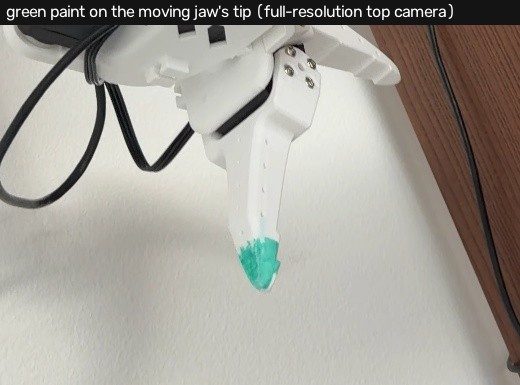
- The paint was on the other finger. The top camera calibrates itself from a green-painted fingertip. The paint was on the moving jaw, and the calibration assumed the fixed one. With the gripper closed the tips nearly touch, so early photos hid the error. With it open, predictions were about 90 pixels off.
- A number 57 times too big. Joint corrections were fitted in degrees and saved as if they were radians. Cross-validation looked excellent at 3.3 mm, because it tested the fit and not what was installed. Twenty fresh photos, predicted through the code the robot actually runs, were 24 pixels off.
- The table was not where the model thought. One camera sees depth poorly. Touching the table at 19 spots showed the error growing with reach, from −5 mm near the base to −17 mm at full stretch (Figure 10).
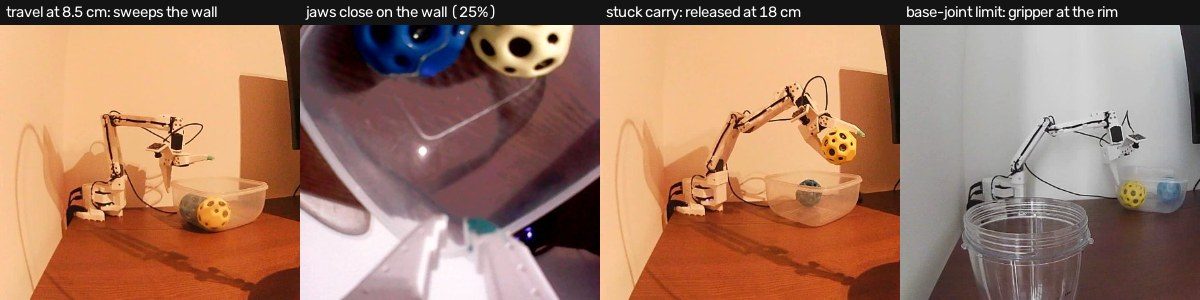
- Pressing to find the table slides the fingers. Grasps that lowered until the table stopped them ended 4 to 15 mm sideways from where the descent began. The balls barely fit in the gripper, so a centimetre of slide puts a finger on the ball. The grasp now stops at a calibrated clearance instead.
- A simulator constant met a real wall. The simulated carry height is 8.5 cm; the real container's walls are about 10 cm. The arm swept through the wall. It now rises before any sideways move and travels at 13 cm or more empty, 15.5 cm or more when carrying.
- A joint limit. The base servo turns ±55°. A ball that rolled into the container's far corner needed 61°.
- A USB cable. The wrist camera dropped out seven times. The camera server now restarts itself when a frame goes stale.
Calibration
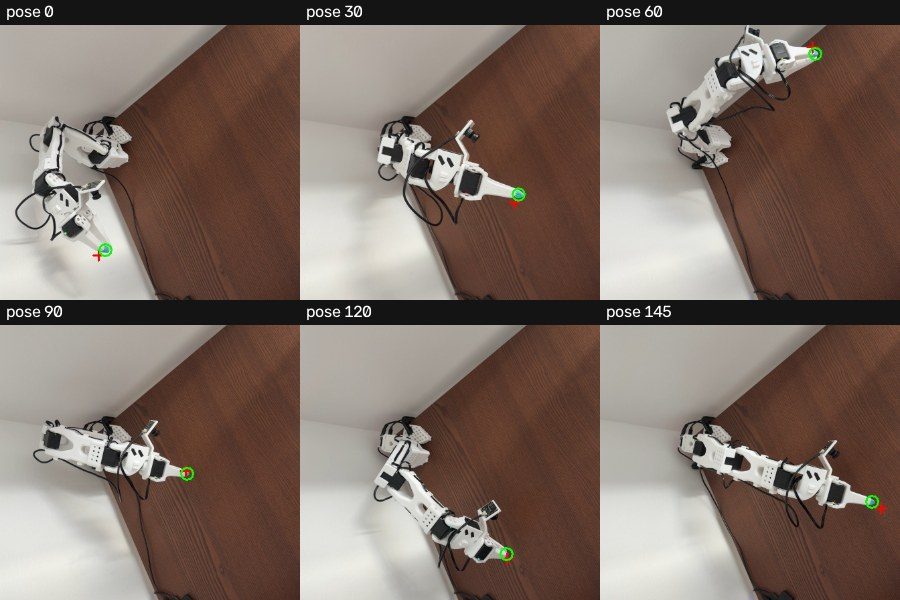
Calibration took more of the two days than anything else and decided more outcomes than the model did. The first calibration had only photographed poses within 40° of straight ahead, with the gripper pointing down. So I swept the whole workspace: 152 poses over every base angle the planner allows, 14 to 40 cm out, at 5, 11 and 18 cm high, each photo taken once the joints had been still for 0.3 seconds. One fit then estimated the camera, the joint offsets, the paint's position on the jaw and the table height together, from 188 photos and 19 table touches.
Where the calibration looked
Height error when the fingers touch the table
Held-out error is 2.4 mm on the table plane. On data taken after installing it, 20 new photos are predicted within 1.8 px (median; worst 4.7 px), and six new table touches read between −0.8 and +4.7 mm.
Speed
The first successful runs took 61 to 164 seconds, and the logs showed the arm spending most of that time waiting. Every decision sent three lossless PNG images, about 271 KB each, through the cloud provider's proxy: 1.8 to 3 seconds per decision from the laptop, for about 0.2 seconds of work on the GPU.
Round trip for one skill decision
Where the 104 seconds went
What made it fast:
- JPEG for decisions. High-quality JPEG cut each image to about 53 KB and each decision to 0.45 to 1.3 seconds.
- No feeling for the table. With calibrated heights, the grasp descends at 100 mm/s straight to 5 mm above the table.
- Drop, don't place. The ball is released over the container instead of lowered until it touches.
- Open to 70%. Opened to 95%, the ball tended to sit at the jaw tips. Seventy percent grips better.
- No pause after pickup. The arm lifts as part of the grasp and goes straight to the carry.
Two traps. Pointing did not tolerate JPEG: re-encoding one frame moved the pointed spot by 53 pixels and once sent a ball to an empty patch of table, so pointing stays on PNG. And skipping the final settle of each move made runs slower, not faster. That settle is where the arm compensates for gravity at full stretch; without it moves stalled, and one run took 333 seconds.
What is not solved
Taking balls back out of the container failed in all 10 attempts. Balls pressed against a wall, far corners and the base joint's limit are hard for a small set of discrete skills. In one two-ball run both balls ended inside, but the agent did not recognise the second completion and gave up. The yes/no checks are still too careful. And the adapter changed between runs as I fixed things, so this is a field report, not a benchmark.
What comes next
- More simulation, more tasks. This adapter came from about seven GPU-hours of fine-tuning on a small budget. The direct next step is more simulated data across more objects, containers, layouts and task types.
- Real-to-sim. Build the simulated scenes from the real setup: the calibrated camera, the measured table, the real container and ball sizes, and the arm model with its fitted offsets. Training on those targets exactly the conditions the arm will meet.
- Continuous control where contact matters. Picking a ball out of a corner needs fine, closed-loop motion. A continuous, VLA-style policy for those steps, under the same discrete planner, is a natural fit.
My read: a VLM making Jev-style decisions over simple skills, trained only in simulation, already shows real promise for crude pick-and-place. It needs no teleoperation rig and no real-world data, and on this arm the model was rarely the part that failed.
Lessons
- Look at every frame yourself. Several of my diagnoses were wrong until I looked at all three cameras for each step. The person watching the arm was right more often than my numbers.
- Calibrate everywhere you will operate, not a convenient subset.
- Validate on fresh data through the code the robot runs. Cross-validation inside the fitting code missed the unit error.
- Measure height by touch. One camera sees depth poorly; a few touches fix it.
- Hunt for simulator constants. Carry heights and ready poses tuned for simulated scenes will meet taller containers.
- Speed is mostly waiting. Cut the image payloads and the settling, but keep the gravity compensation.
- Fail safe. Never open the gripper unless the arm has arrived, and park the arm after every run, including failures.
Everything is open
The repository has the real-arm adapter, the calibration tools, the simulator evaluation and the training code. The code and the LoRA adapter are released under Apache-2.0. A paper with the full run ledger is on its way to arXiv.
Cite this post
@misc{abdiev2026so101vlm,
  author       = {Abdiev, Daniiar},
  title        = {A Vision-Language Model Trained Only in Simulation Runs a Real Robot Arm},
  year         = {2026},
  howpublished = {\url{https://robopsychologist.ai/so101-vlm-agent}}
}